
Hosts
Hosts lists the Docker engines Docker Manager looks after. One Docker Manager can look after several servers; switch between them at the bottom of the sidebar.
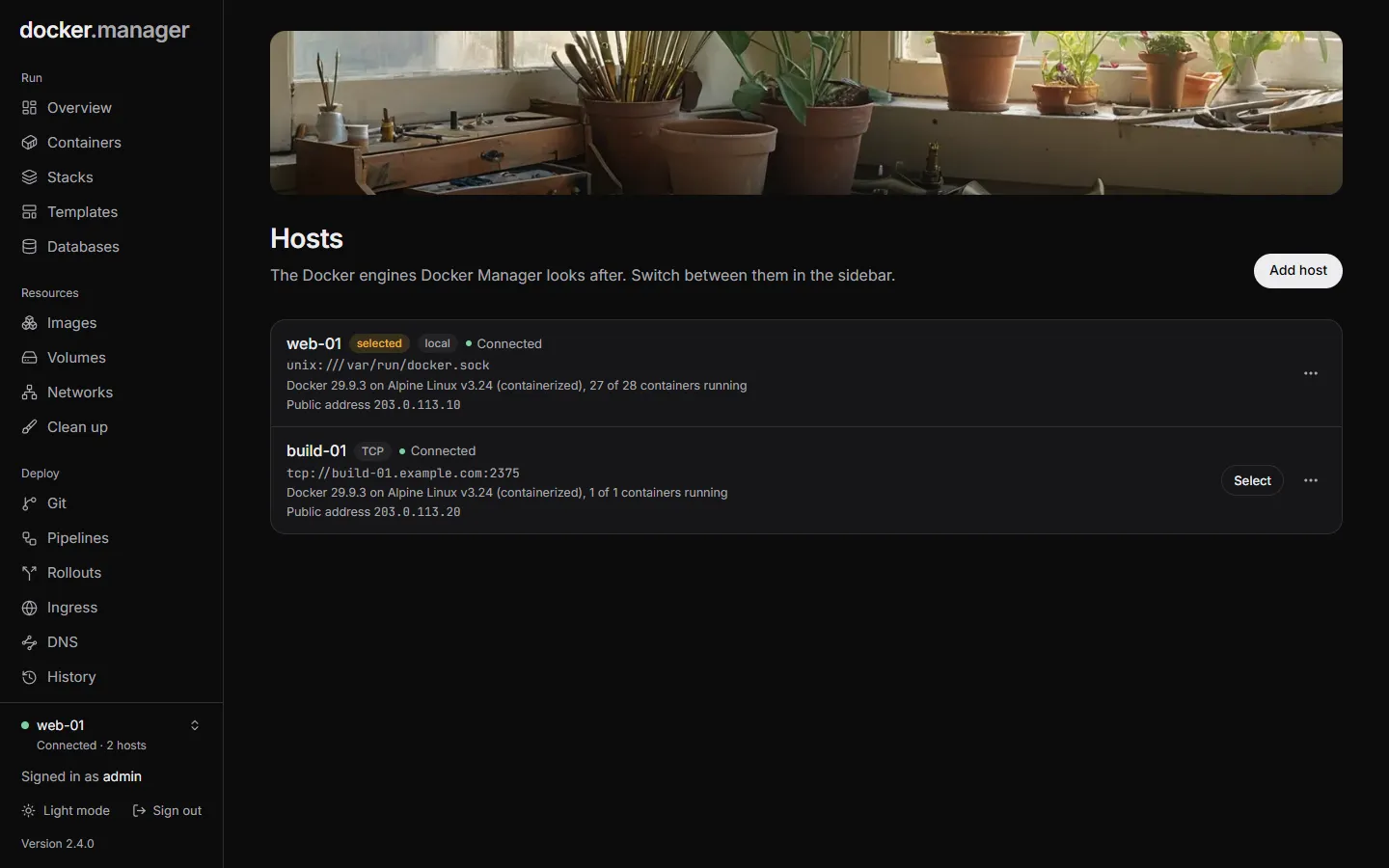
Each host shows how it’s connected (local, SSH, TLS or TCP), whether it’s Connected or Not reachable, its Docker version and operating system, how many containers are running, and its public address if it has one.
The local host
Section titled “The local host”When the Docker socket is mounted into Docker Manager’s container (/var/run/docker.sock, as in the
install example), the server it runs on is added automatically on first start.
Add a remote host
Section titled “Add a remote host”- On Hosts, choose Add host.
- Give it a Name (optional), like
Home server. - Under Connect with, choose SSH, TCP with TLS, TCP or This server, and fill in the details below.
- Choose Connect.
Docker Manager signs in over SSH and opens a tunnel to the remote Docker socket.
- User: a user in the
dockergroup on the server, likedeploy. - Server and Port (22 by default).
- Private key: an OpenSSH key without a passphrase, whose public key is in that user’s
~/.ssh/authorized_keys. It’s stored encrypted.
The server’s identity is remembered on the first connection and checked every time after.
TCP with TLS
Section titled “TCP with TLS”This is Docker’s own way of protecting a remote daemon (tcp://host:2376). Paste the three files you made when you
set up TLS on the daemon:
- CA certificate (
ca.pem) - Client certificate (
cert.pem) - Client key (
key.pem)
Plain TCP (tcp://host:2375) works, but Docker’s plain TCP port gives full control of the server to anyone who can
reach it, with no password. Only use it on a private network or VPN, or choose SSH or TLS.
Public address
Section titled “Public address”A host’s Public IPv4 and Public IPv6 are the addresses that DNS records for its ingress routes point at. Fill them in when you add or edit a host, or choose Detect: Docker Manager asks a public service from the host, which can take up to 20 seconds. Detection only runs when you choose it.
Edit or remove a host
Section titled “Edit or remove a host”Administrators can use a host’s menu to Edit its name and public address, or Remove it.
Removing a host only means Docker Manager stops managing it: its containers keep running. Stacks, routes and repositories set up for it stop working in Docker Manager.
Hosts can also be described in the configuration file. Hosts managed that way are marked Config file and can only be changed through the file.