
Health and alerts
Docker Manager checks every container on every host every 30 seconds. When something goes wrong, it shows up on the Health page, and administrators get an email once an email server is set up.
What it watches for
Section titled “What it watches for”| Problem | What it means |
|---|---|
| Crashed | Stopped with an error while it was running. |
| Restarting over and over | Keeps crashing and being restarted: 3 restarts within 5 minutes. |
| Failing its health check | Running, but its own health check (the image’s or compose file’s HEALTHCHECK) reports a problem. |
| Ran out of memory | Stopped by the kernel because it used more memory than allowed. |
The Health page
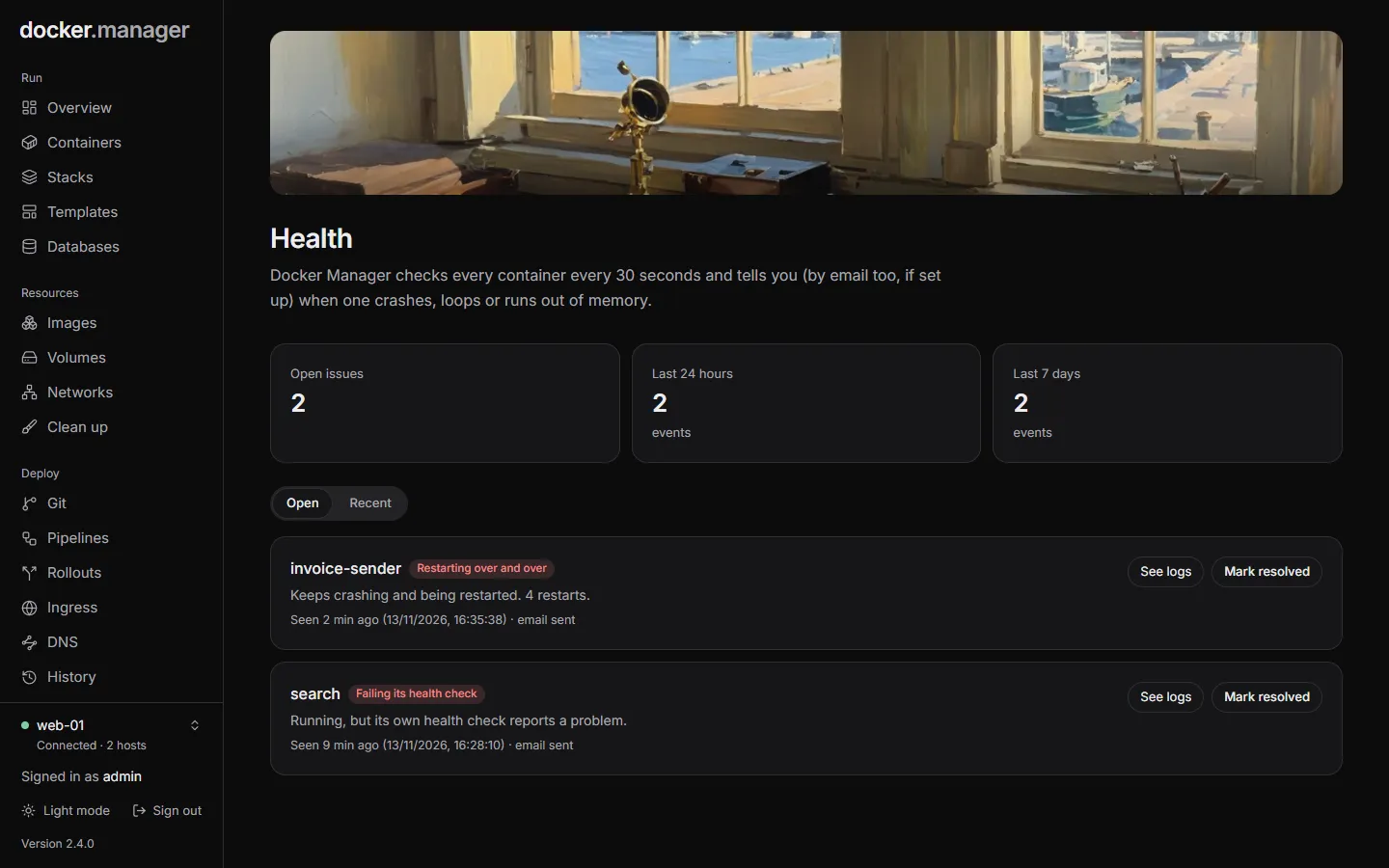
Section titled “The Health page”The page shows the number of Open issues, and the events of the Last 24 hours and Last 7 days, for the selected host.
- Open lists the problems that still need attention. See logs opens the container’s logs, and Mark resolved clears an issue once you’ve dealt with it.
- Recent lists everything that happened lately, including resolved issues.
When every container is fine, the page says All healthy.
Email alerts
Section titled “Email alerts”Each problem is emailed to administrators who have an email address. A container is reported at most once an hour for the same kind of problem, so one that keeps failing doesn’t flood your inbox. Every event is still recorded on the Health page.
Each person chooses which emails they get under Settings, Your notifications: for example Container Stopped Unexpectedly, Container Restart Loop, Container OOM Killed and Container Health Check Failed. See Settings.
Live CPU and memory
Section titled “Live CPU and memory”For a closer look at one container, open it on the Containers page and choose the Usage tab: live charts of its CPU (as a share of one core), memory and network traffic, measured while it runs. See Containers.
For history over days or weeks, every container’s logs, and host metrics, turn on Observability.