
Settings and email
Settings has three tabs: Your notifications for everyone, and Email server and Sent emails for administrators.
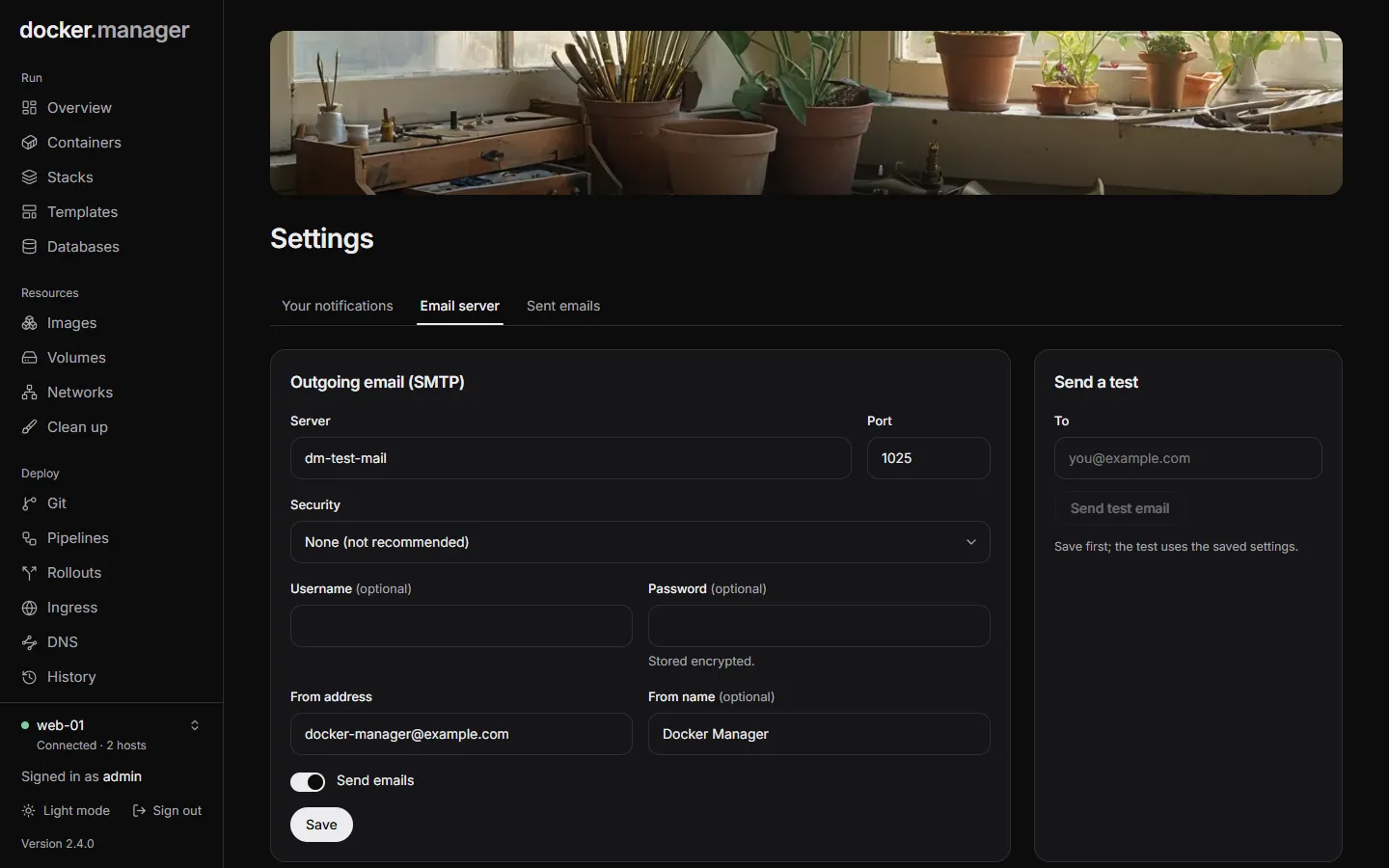
Set up email
Section titled “Set up email”Docker Manager sends emails about failed deployments, containers that stop or fail health checks, hosts that disconnect, failed database backups and more. Nothing is sent until an administrator sets up an email server.
- Open Settings and choose Email server.
- Fill in Outgoing email (SMTP):
- Server and Port of your mail provider’s SMTP server.
- Security: STARTTLS (usually port 587), TLS (usually port 465), or None (not recommended).
- Username and Password, if the server needs them. The password is stored encrypted; when one is saved, leave the field empty to keep it.
- From address, like
docker@example.com, and optionally a From name.
- Turn on Send emails and choose Save.
- Under Send a test, enter your address in To and send a test. The test uses the saved settings, so save first.
Sent emails lists every email Docker Manager sent, and whether sending worked.
Your notifications
Section titled “Your notifications”Each person chooses which emails they get on the Your notifications tab. Everything is on until you turn it off.
| Area | Notifications |
|---|---|
| Deployments | Deployment Started, Deployment Completed, Deployment Failed |
| Containers | Container Stopped Unexpectedly, Container Health Check Failed, Container Restart Loop, Container OOM Killed |
| Security | User Login, Password Changed |
| System | Host Disconnected, Host Reconnected |
| Databases | Database Backup Failed |
| DNS | DNS Health Check Changed |
Emails go to the address on each user’s account. People who aren’t administrators only hear about the hosts they have access to, and some notifications, like failed database backups, only go to administrators.
Health monitoring settings
Section titled “Health monitoring settings”How often containers are checked, and what counts as a restart loop, are set with environment variables
(DOCKER_HEALTH_MONITOR_*). See Environment variables and
Health.