
Image rules
Image rules decide which images may be used. Allow only images you trust, or block ones you don’t. Rules apply to new containers, stacks, git deployments and pulls.
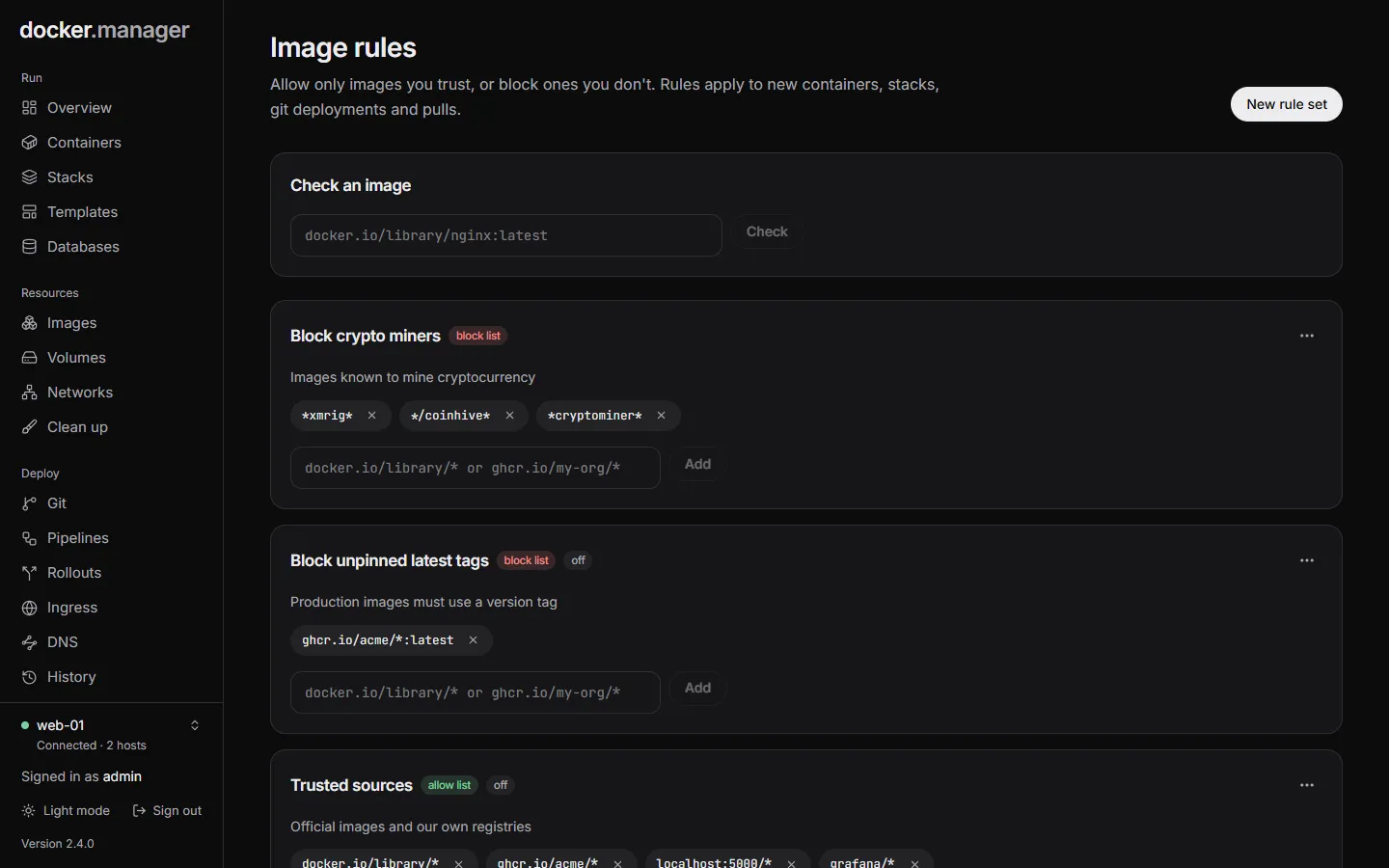
How rules decide
Section titled “How rules decide”Rules are grouped in rule sets of two kinds:
- Allow list: only images matching one of its patterns may be used.
- Block list: images matching one of its patterns are refused.
An image is checked like this:
- If it matches a pattern in any block list that is on, it is Blocked.
- If there are no allow lists, every other image is Allowed.
- If there are allow lists, the image must match a pattern in one of them, or it is Blocked.
With no rules at all, every image is allowed.
Create a rule set
Section titled “Create a rule set”Press New rule set and choose:
- Kind: Allow list or Block list.
- Name and Description: for example “Official images only”.
- Turn on now: rule sets can also be turned on and off later.
Then add patterns to it, such as docker.io/library/* or ghcr.io/my-org/*.
Patterns
Section titled “Patterns”Patterns are written the way you write image names:
*matches any run of characters,?one character. Case doesn’t matter.- Images and patterns from Docker Hub are read in full:
nginxmeansdocker.io/library/nginx, andbitnami/*meansdocker.io/bitnami/*. Songinx,docker.io/nginxandindex.docker.io/library/nginxare the same image. - A pattern without a tag matches every tag of that image:
nginxmatchesnginx:1.27andnginx:latest. Add a tag to match only that one, such asnginx:1.27. - A name whose first part has a dot, a colon or is
localhostis a registry:ghcr.io/acme/*,registry.example.com:5000/*,localhost/*. - A pattern starting with
*or?is used exactly as written, matching the full name, such as*/library/nginx*.
| Pattern | Matches |
|---|---|
docker.io/library/* |
Every official Docker Hub image (nginx, postgres:18, redis:alpine) |
ghcr.io/acme/* |
Every image under ghcr.io/acme/ |
postgres |
postgres with any tag |
*:latest |
Any image tagged latest |
Check an image
Section titled “Check an image”Check an image at the top of the page tells you whether an image would be allowed, and which rule set decided. Use it to test a new rule before you rely on it.
In the configuration file
Section titled “In the configuration file”Rule sets can be described under imagePolicies in the configuration file. See
the reference.